
Running several accounts side by side without letting every site see one machine?
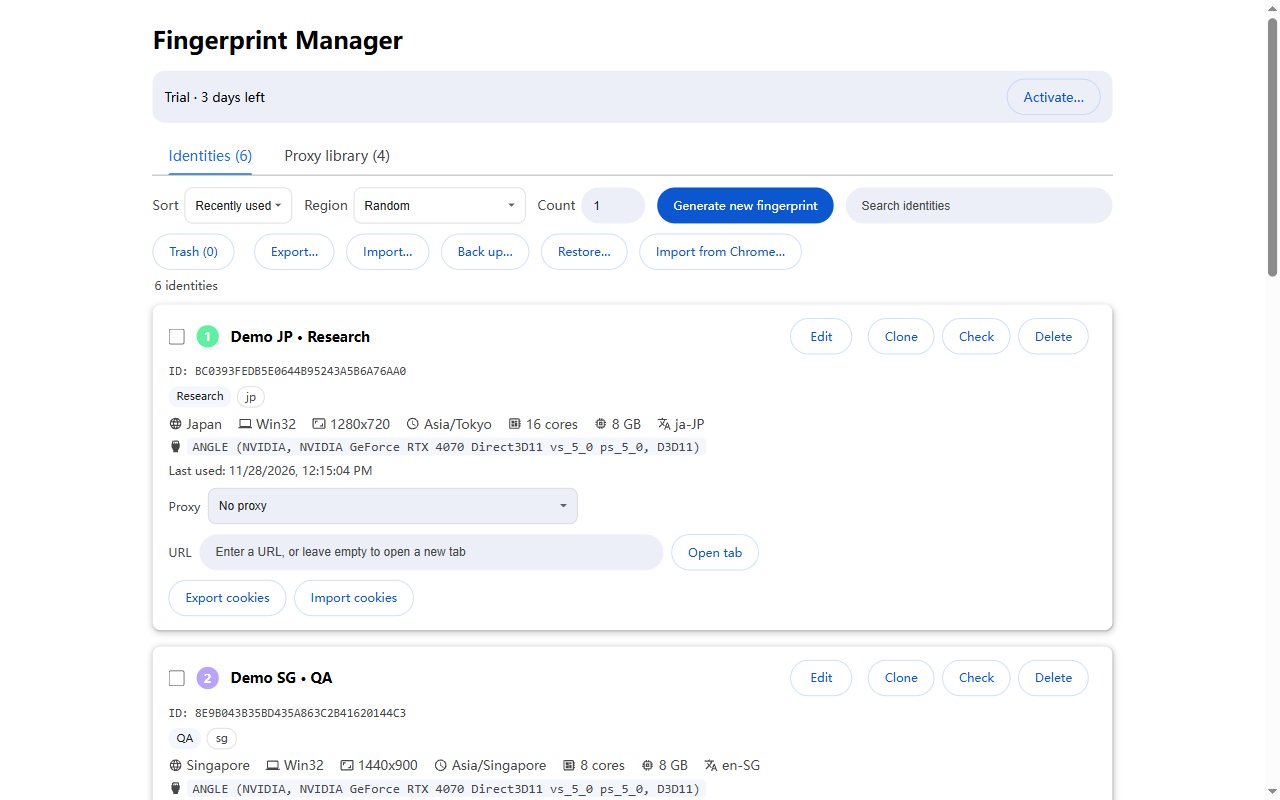
1.One identity, one coherent fingerprint.
Every identity is generated with a matching set of values: User-Agent and UA-CH, navigator.platform, language, timezone, screen, CPU cores, memory, touch points, WebGL vendor and renderer, canvas and audio noise, and the available font list. They are generated together and injected together, so you don't get the tell-tale contradiction of a Windows User-Agent with a timezone from somewhere else.
2.Cookies and storage are partitioned per identity.
Cookies, localStorage, HTTP cache and worker storage are partitioned by identity, and site and renderer processes are separated by fingerprint as well: an account signed in under one identity can neither see another identity's cookies nor share its process. Links, Ctrl+click and middle-click open new tabs in the same identity; close the browser and reopen it, and session restore brings the identity back with the tab.
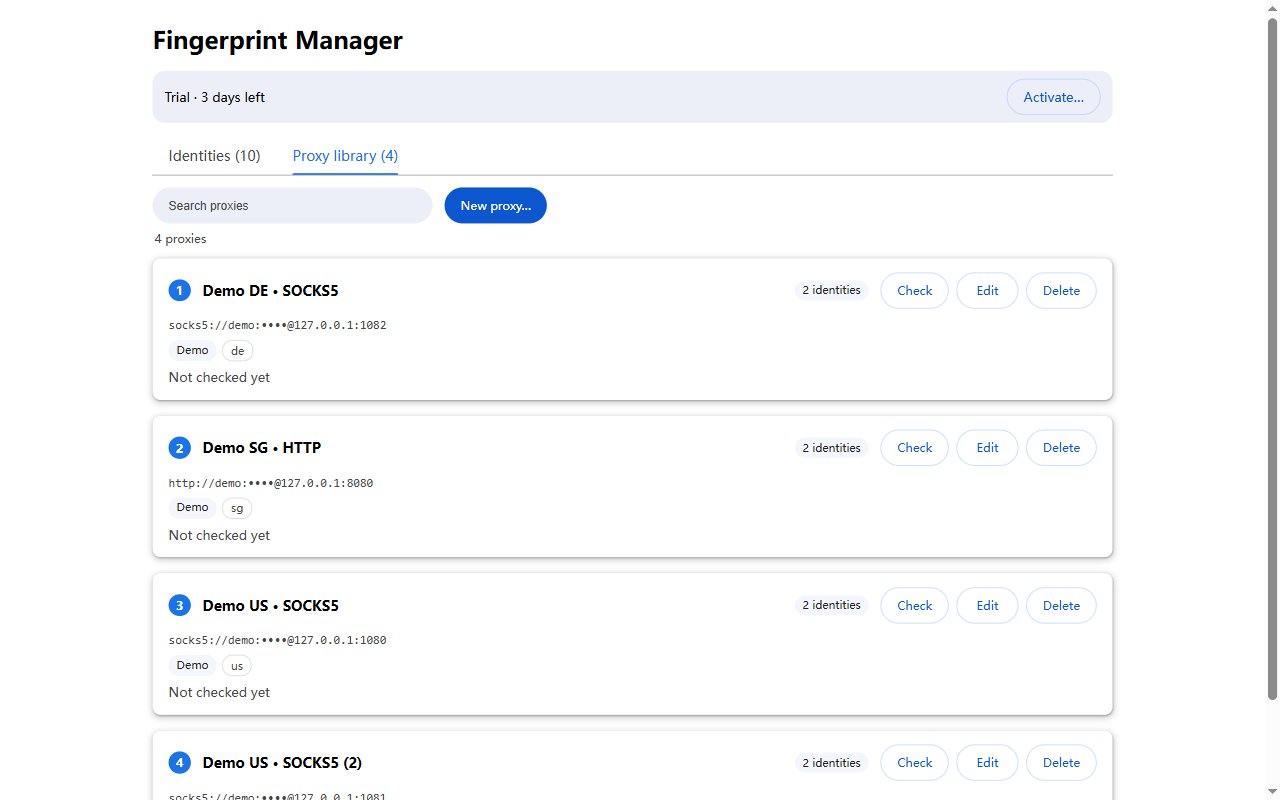
3.Every identity binds its own proxy.
The proxy library manages HTTP, HTTPS and SOCKS5 proxies and binds them to identities. Proxy passwords are protected with Windows DPAPI and shown masked. Hostnames are resolved through the proxy; your machine does not resolve them directly. If the proxy is down, requests fail instead of falling back to a direct connection that would expose your real address, and a proxy that asks for credentials never pops up a login box.
4.Several identities side by side in one window.
The toolbar's identity switcher reassigns the current tab; the icon at the left of the address bar shows which identity the tab is using, with region, proxy and details in its bubble. You can also open a new window from an identity (an identity window), and every new tab in it stays on that identity. One window, many identities — no pile of separate browsers.
5.Create, import, back up and migrate.
Generate identities in batches by region (1–50 at a time); export identities as JSON, import and merge them, or back up the whole library, including the encrypted cookie store and localStorage. You can also import cookies and localStorage straight from a Chrome profile and bring your existing logins along. Deleted identities can be restored from the trash.
6.A local API and MCP for automation.
The Local API listens on 127.0.0.1 only, with a token regenerated at every launch; scripts can create and edit identities, open tabs under a chosen identity, and start the self-check. A companion maskio-mcp is available to MCP clients. Pass --maskio-no-local-api at launch to turn it off entirely.
7.Your data stays on your machine.
The identity library, cookies, proxy settings and history live on your own computer: no cloud profiles, no sync, no usage analytics or crash uploads. Maskio contacts maskio.zhuatang.com only for the trial, activation, license refresh and update checks, and only sends a pseudonymous device ID plus, at activation, the license key you type in. Page content, your identity library, cookies and proxy credentials are never uploaded.
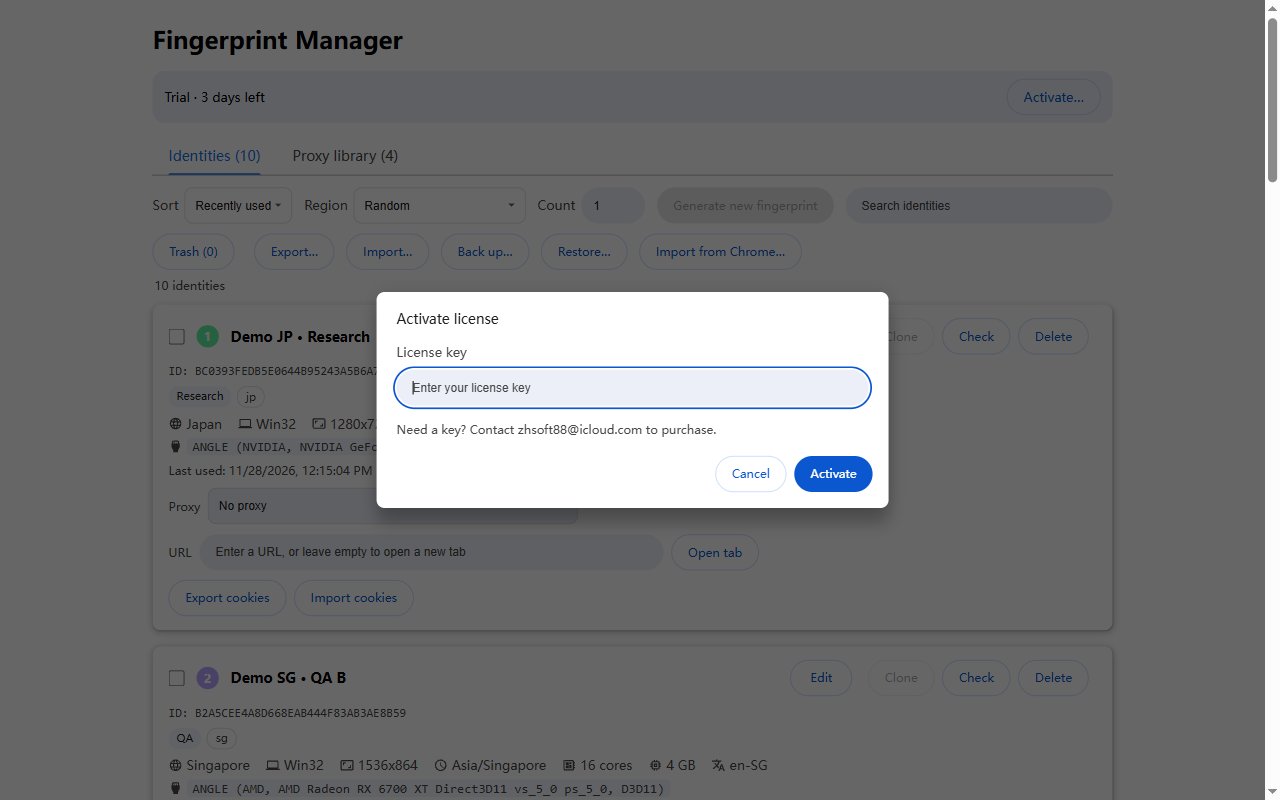
Public beta, free trial: full features for 14 days after install, up to 10 identities, no account needed. After the trial the app drops to basic mode: the identity limit becomes 3 (existing identities keep working, but no new ones can be created), and creation, import, backup, restore and the Local API are unavailable. Existing 1.0.0.1 betas update automatically on the beta channel; 150.x installs that follow the stable channel do not upgrade to 1.x automatically — download the installer from this page.
Buying and feedback: keys are sold by the author over email — write to zhsoft88@icloud.com. A key is a one-time purchase for the device count you choose, sent back by email and entered under "Activate…" in the license bar. Moving to a new PC, refunds (handled by revoking the key) and bug reports go to the same address. No price is listed here; please ask by email.
Download: maskio-setup-1.0.0.2-beta.exe (121,317,376 bytes)
SHA-256: f48ba25dfb9047dbf0a60dd5985343cab876b8847d6b84cacf2491547fcb48bb
The installer is not Authenticode-signed, so Windows SmartScreen may warn. Check the hash first with PowerShell's Get-FileHash .\maskio-setup-1.0.0.2-beta.exe -Algorithm SHA256, then choose "More info" → "Run anyway". It installs per user under %LOCALAPPDATA%\Maskio and needs no administrator rights.
Identity library: groups, tags, colors, notes, search, trash and cloning; batch generation by region, up to 50 at a time.
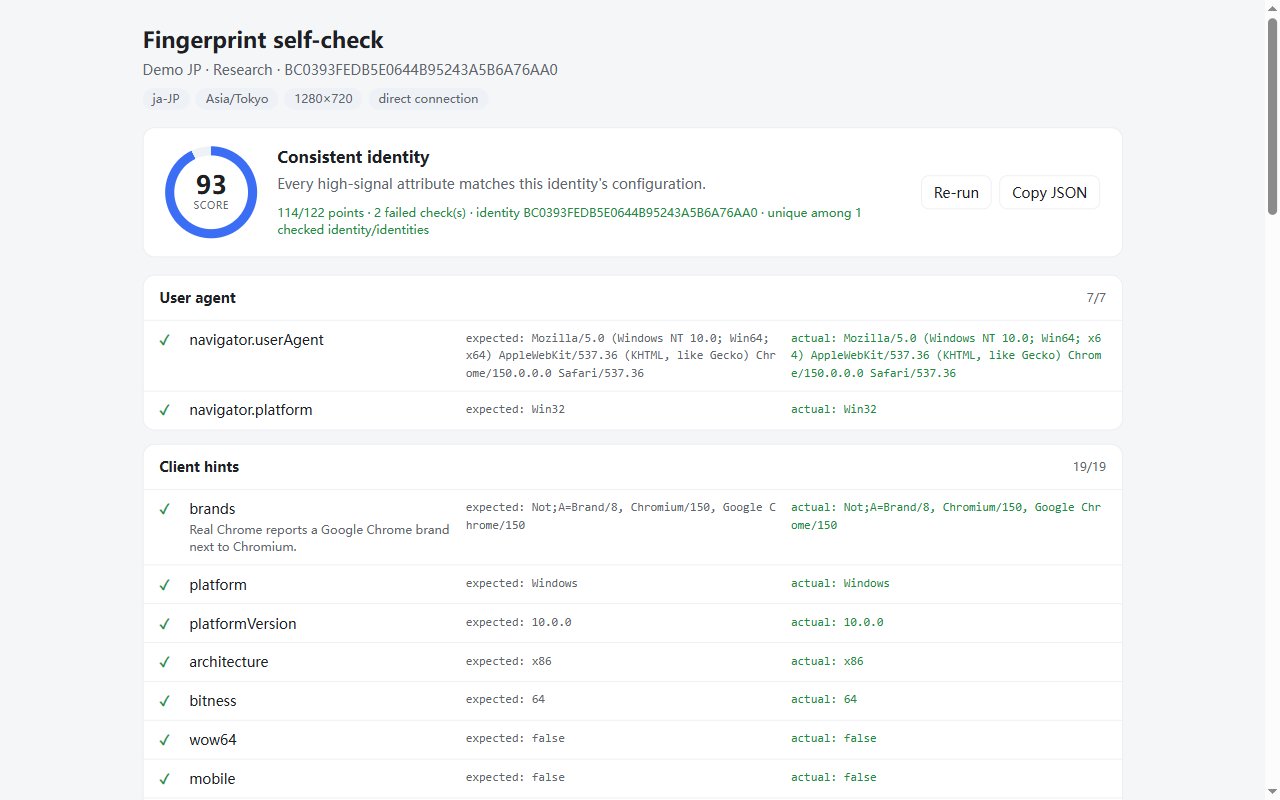
Consistency self-check: click Check on an identity card to verify UA, UA-CH, language, timezone, screen, WebGL, canvas and audio, fonts and exit IP in that identity's own tab; it scores the result and lists what does not match the profile.
Proxy library: save HTTP, HTTPS and SOCKS5 proxies, test latency and exit IP, then bind them to identities.
Cookies: import or export Netscape cookies.txt per identity; whole-library backups include the encrypted cookie store and localStorage.
Automation: Local API and maskio-mcp, or just the UI — the two do not conflict.
Interface language: 简体中文 and English, chosen on first run, then following the browser UI language.
System requirements: Windows 10/11 x64.
Engine: Chromium 150.0.7871.115 (M150).
Install and uninstall: per-user, no administrator rights; uninstalling keeps user data, so identities survive a reinstall. To remove that too, uninstall and delete %LOCALAPPDATA%\Maskio.
Updates: the public beta follows the beta channel and updates when the browser exits.
|
 |
 |
 |
Install, trial, activation and FAQ: Maskio support
Privacy policy: Maskio privacy policy
Email: zhsoft88@icloud.com